GorZesk answers your customers from your catalog and business information, and answers you from your own business data. These are its thirteen areas, each with where to find it and what it does not do yet.
Status is our honest read: Available means built and tested; Available, with limits means it works but one limit matters to a buyer.
01Grounded customer answers
Available
A customer asks about a product and the answer is built from your own product records: name, price, stock and specifications. If nothing in your catalog matches, GorZesk says so and points the customer to your team instead of guessing.
How it is checked
Retrieval runs on your products before any wording is generated; the prices and stock shown beside an answer are read from the database, not from the model. An AI-quality test suite (including cross-business and prompt-injection cases) runs with every change.
What it does not do
Answers come from your products, the status of that customer's own orders, and the business information you publish in GorZesk (delivery, returns, opening hours, payment, policies, common questions). Prices and stock always come from products. Uploading PDF or Word files is not supported: business information is typed in. Answer quality depends on how complete your catalog and published information are.
Add products by hand with photos and variants, or import a CSV/Excel file. Customers find products by meaning as well as by keyword, and can search by photo when an AI provider with vision is configured.
How it is checked
Import matches common column names (name, price, SKU, stock, category, description, active), flags duplicate SKUs and reports rows it could not read. Semantic search falls back to keyword search if embeddings are unavailable.
What it does not do
No live sync with an external store or POS: you import files or edit in GorZesk. Image search needs a vision-capable AI provider on the server.
Stock is tracked per product and per variant, and every change is written as a movement with a reason and who made it. Low stock shows up in analytics and in your daily brief.
How it is checked
Stock movements are stored with type, quantity change, resulting quantity, reason and actor, so a number can be traced.
What it does not do
One stock count per product or variant: no multiple warehouses and no reserved stock for open quotes.
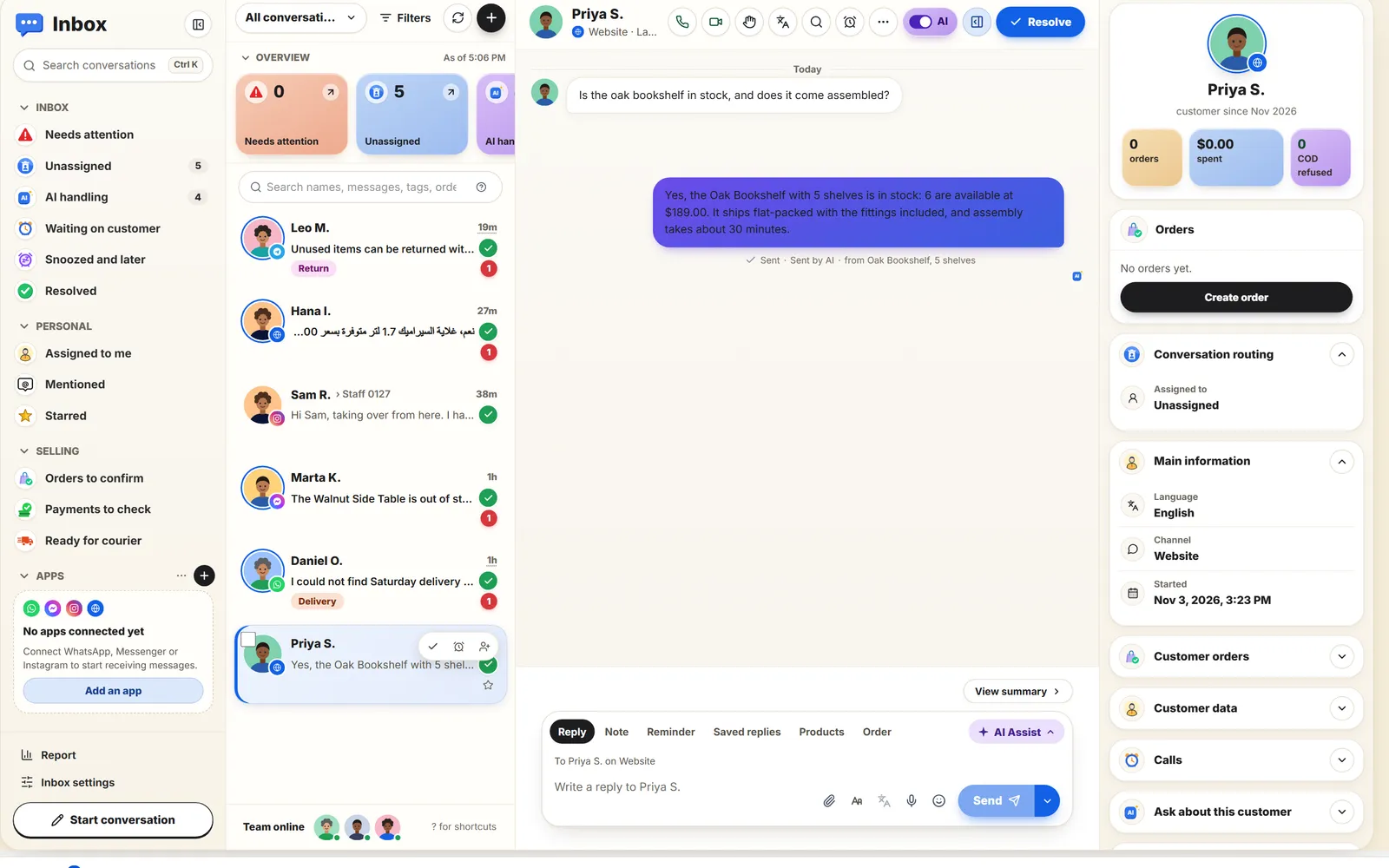
Chats from your website and every connected channel land in one inbox. Your team can read the whole thread and reply from GorZesk; the reply goes back over the customer's own channel and GorZesk tells you whether the channel accepted it.
How it is checked
Each staff reply records delivered / failed and a plain reason, and a failed reply can be retried (bounded). Replies are saved even when delivery fails.
What it does not do
Delivery status means the provider accepted the message, not that the customer read it. Connectors other than the website widget have not yet run against a live account.
Everyone who requested a quote, ordered, or was added by hand is a customer record with their contact details, source channel and notes. Import an existing list instead of retyping it.
How it is checked
Search, paging and CSV/Excel import with validation; records are private to your business.
What it does not do
No merge tool for duplicate customers and no marketing automation. Customer-facing conversations are not yet stitched into one identity across channels.
When a customer asks for a quote in chat, GorZesk creates it from real catalog prices. You accept it into an order or reject it, and quotes that got no reply are surfaced in your daily brief so they are not lost to silence.
How it is checked
Quote lines snapshot the name, SKU and unit price at the time; a quote can be converted once. Status moves sent → converted or rejected.
What it does not do
GorZesk does not email or print a quote document, and does not apply discount rules or taxes automatically.
Accepted quotes become orders, and you can also record a sale by hand or import past orders. Order, payment and fulfillment status are tracked separately so each stays honest.
How it is checked
Order status (pending, confirmed, cancelled), payment status (unpaid, paid, refunded) and fulfillment status (unfulfilled, fulfilled) are independent fields.
What it does not do
Payment status is something you set. GorZesk does not take card payments from your customers or confirm them with a payment provider.
Ask in plain language what sold, what is running low or who has not ordered lately, and get an answer computed from your own records. A daily brief highlights stale quotes, stockout risk and thin margins, and can be emailed.
How it is checked
The brief's figures are calculated from your orders, quotes and stock movements with the data window shown next to each one; the assistant only explains facts the code already retrieved.
What it does not do
Estimates are labelled as estimates (for example stockout timing and margin, which use the costs on file). No forecasting model.
GorZesk proposes a restock, a follow-up message draft or an unusual-sales alert and explains why. By default it waits for your approval; an owner can choose a mode that lets low-risk follow-ups send on their own.
How it is checked
Suggestions come from deterministic checks over real data; the AI only drafts wording. The modes (Off, Ask for approval, Autonomous, Hybrid, Custom), a business-wide pause and per-conversation takeover are enforced on the server at every reply path and in the automation worker, with a daily limit, quiet hours and a recorded change history.
What it does not do
Approving a follow-up sends that one message on the customer's channel. Approving a restock suggestion or an alert records your decision; GorZesk does not place purchase orders. Only follow-up drafts can ever run automatically.
Owner, admin and staff roles are enforced on the server. Each business's data is separated from every other business both in the application and in the database.
How it is checked
An API-layer membership check runs before every query that touches a business's data, with automated cross-business attack tests. Every table also has row-level security policies defined, though GorZesk's own backend connects with a role those policies do not restrict, so the API check is the real protection, not RLS. Details on the security page.
What it does not do
Teammates are invited by email with single-use links that expire after 7 days, checked against your plan's team limit. GorZesk does not hold SOC 2 or ISO 27001 certification.
Paste one script tag to put the assistant on your own site, or share a hosted storefront page. Messenger, WhatsApp, Instagram, Telegram and email connectors are built; each one's real status is spelled out on the Channels page.
How it is checked
The widget is detected automatically the first time it loads on your site. Every connector verifies provider signatures or secrets and maps an event to the right business only from a trusted account ID.
What it does not do
Only the website widget works without third-party approval. The others have been tested against simulated providers, not yet a live Page, number, bot or mailbox.
Connect a Shopify store to import products, variants, tracked stock and orders, so the assistant answers from the same catalog you sell from. Read-only: GorZesk never writes back to Shopify.
How it is checked
Credentials are checked with Shopify before they are saved, never shown again and encrypted at rest once the server key is set. Product and order updates arrive as signed webhooks, are checked and processed once.
What it does not do
Tested against a simulated Shopify API, not yet a live store. No customer import, no writing stock or prices back, up to 5,000 products per sync. Other store platforms are not connected.
Sales by period with prior-period comparison, top products, low stock, repeat customers and products bought together. A usage page shows every AI call and its estimated cost, and plan limits are enforced by the server.
How it is checked
Limits (team members, products, monthly AI queries) live in one place in the backend and are checked on every request that matters, not only in the interface.
What it does not do
Profit uses the cost currently on each product, so historical margins are estimates. Cost figures are estimates from public provider pricing, not an invoice.
Each capability has a longer guide on pinevon.com (Pinevon is the company that makes GorZesk): how it works, what you need, plans and roles, and its limits.
Card payments from your customers: GorZesk tracks order and payment status you set.
Reading uploaded PDF or Word files: policies and common answers are typed into Business information.
Placing restock orders: approving a restock suggestion or an alert records your decision; there is no purchasing integration. (An approved follow-up draft is sent as one staff message on the customer's channel; nothing is sent without approval.)
Multiple warehouses, price lists, scheduling, or a full ERP.